Photo & Video
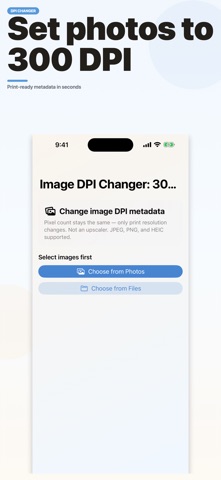
Image DPI Changer: 300 DPI
By Yuya Takamoto
Download on theApp Store ↗Free · US storefront
App Store ratingNot rated0 ratings
Age rating4+Apple content rating
CompatibilityiOS 17.0+Check your device
Version1.0Updated 2026-09-05
About Image DPI Changer: 300 DPI
Change the DPI metadata of your photos for print-ready files.
This app does not resize your images. It updates only the DPI metadata stored in JPEG, PNG, and HEIC files. It is not an image upscaler or enhancer.
WHO IT'S FOR
• Print submissions that require 300 DPI
• Research papers and reports with image requirements
• Checking print size before photo printing
HOW IT WORKS
1. Choose a photo or image file
2. Select the target DPI (such as 300)
3. Convert, then save or share
FEATURES
• Presets: 72, 96, 150, 300, 350, and 600 DPI
• Custom DPI input
• JPEG, PNG, and HEIC support
• Before/after DPI and print size preview (cm / inch)
• Pixel dimensions stay unchanged
• Batch conversion for multiple images
• Save to Photos, export files, and share
PRIVACY
Image processing runs on your iPhone. Your photos are not uploaded to a server for DPI conversion.
This app uses Google AdMob for ads.
No account is required.
This app does not resize your images. It updates only the DPI metadata stored in JPEG, PNG, and HEIC files. It is not an image upscaler or enhancer.
WHO IT'S FOR
• Print submissions that require 300 DPI
• Research papers and reports with image requirements
• Checking print size before photo printing
HOW IT WORKS
1. Choose a photo or image file
2. Select the target DPI (such as 300)
3. Convert, then save or share
FEATURES
• Presets: 72, 96, 150, 300, 350, and 600 DPI
• Custom DPI input
• JPEG, PNG, and HEIC support
• Before/after DPI and print size preview (cm / inch)
• Pixel dimensions stay unchanged
• Batch conversion for multiple images
• Save to Photos, export files, and share
PRIVACY
Image processing runs on your iPhone. Your photos are not uploaded to a server for DPI conversion.
This app uses Google AdMob for ads.
No account is required.
A closer look